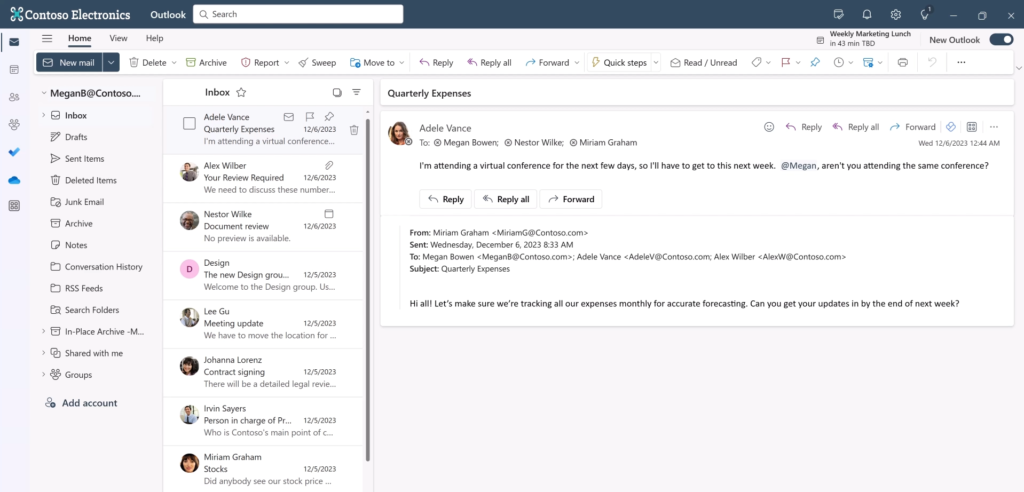
Right before the holiday break, Microsoft announced it would be pushing out an upgrade to the redesigned version of Outlook for all Microsoft 365 users, starting January 10th, 2025.
Although keeping software up to date is generally recommended, this latest Outlook release posed several significant challenges, enough to prompt us to take the uncommon step of preventing the rollout for our customers.
Why We Decided to Block the Update
After thoroughly evaluating the revamped Outlook application, we identified a number of risks that could disrupt our customers’ day-to-day operations.
- Overhauled Interface
The redesigned user interface could create confusion and slow down productivity, particularly for team members accustomed to the previous version of the platform. - Compatibility Issues with Plugins
Many of our customers rely on third-party add-ins and integrated tools, a large number of which are not yet compatible with the revamped email client. This could lead to broken processes and a loss of key functionality. - Workflow Disruptions
Customised settings and configurations that businesses depend on were missing or altered in the new release, risking interruptions to routine tasks and established working practices.
To safeguard productivity and maintain operational stability, we made the proactive decision to pause this upgrade for the time being.
How We Blocked the Update
Using Microsoft-approved management tools, we successfully prevented the Outlook upgrade from rolling out to our customers’ devices:
- Microsoft Group Policy Objects (GPO)
For organisations with on-premises servers, we implemented tailored Group Policy settings to halt the installation. - Microsoft Intune
For businesses using cloud-based device management, we configured Intune compliance policies to prevent the new version from deploying.
By applying these solutions, we ensured our customers could continue using their familiar, fully customised version of Outlook without any interruption to their work.
How Our Clients Stayed Protected
Thanks to our customers holding the appropriate Microsoft licensing and managed IT plans, we were able to put this protection in place remotely — with zero downtime and no disruption to their daily operations.
With the right licensing and coverage in place, the businesses we look after benefit from our ability to:
- Deploy device and software management policies remotely.
- Respond promptly to software changes and assess releases before they are automatically installed.
- Apply adjustments and patches without disrupting ongoing work or tools.
At Carden IT Services, we carefully review every scheduled software release on behalf of our customers to ensure it is safe, beneficial, and won’t hinder business performance.
What’s Next?
We are continuously monitoring upcoming Outlook releases and other Microsoft application changes. Once the redesigned version has matured and we are confident it works smoothly alongside our customers’ existing software and processes, we will re-evaluate and begin a gradual, phased rollout. This measured approach allows us to keep a close eye on the transition and resolve any issues quickly.
Our priority is to deliver innovation without compromising reliability, ensuring the businesses we work with can enjoy new features while maintaining high levels of productivity.
If you’d like to find out more about how we protect your business from disruptive software changes, or to learn about our IT management services, reach out to Carden IT Services today.
Stay secure. Stay productive. Stay supported.